Work Context Settings
Your Work Context settings allow you to view and update your professional profile information from within your account settings. This information helps personalize your olllo experience and is referenced by the AI during all interactions.
Accessing Work Context
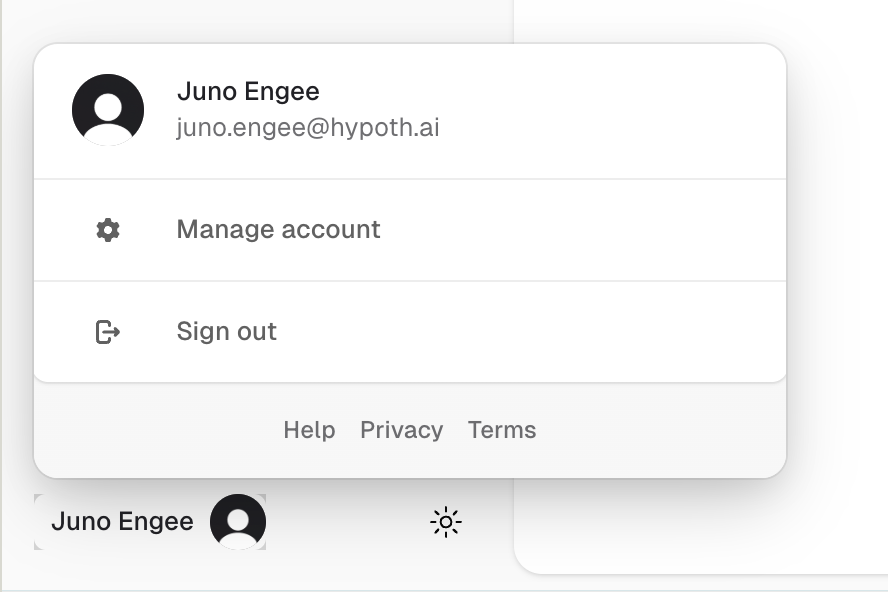
- Click on your profile avatar in the sidebar footer
- Click on “Manage account”
- Your user profile modal will open
- Select “Work Context” from the navigation menu
You can also access Work Context from the quick links on your Knowledge page.
Available Fields
Required Information
These fields must be filled in to save your work context:
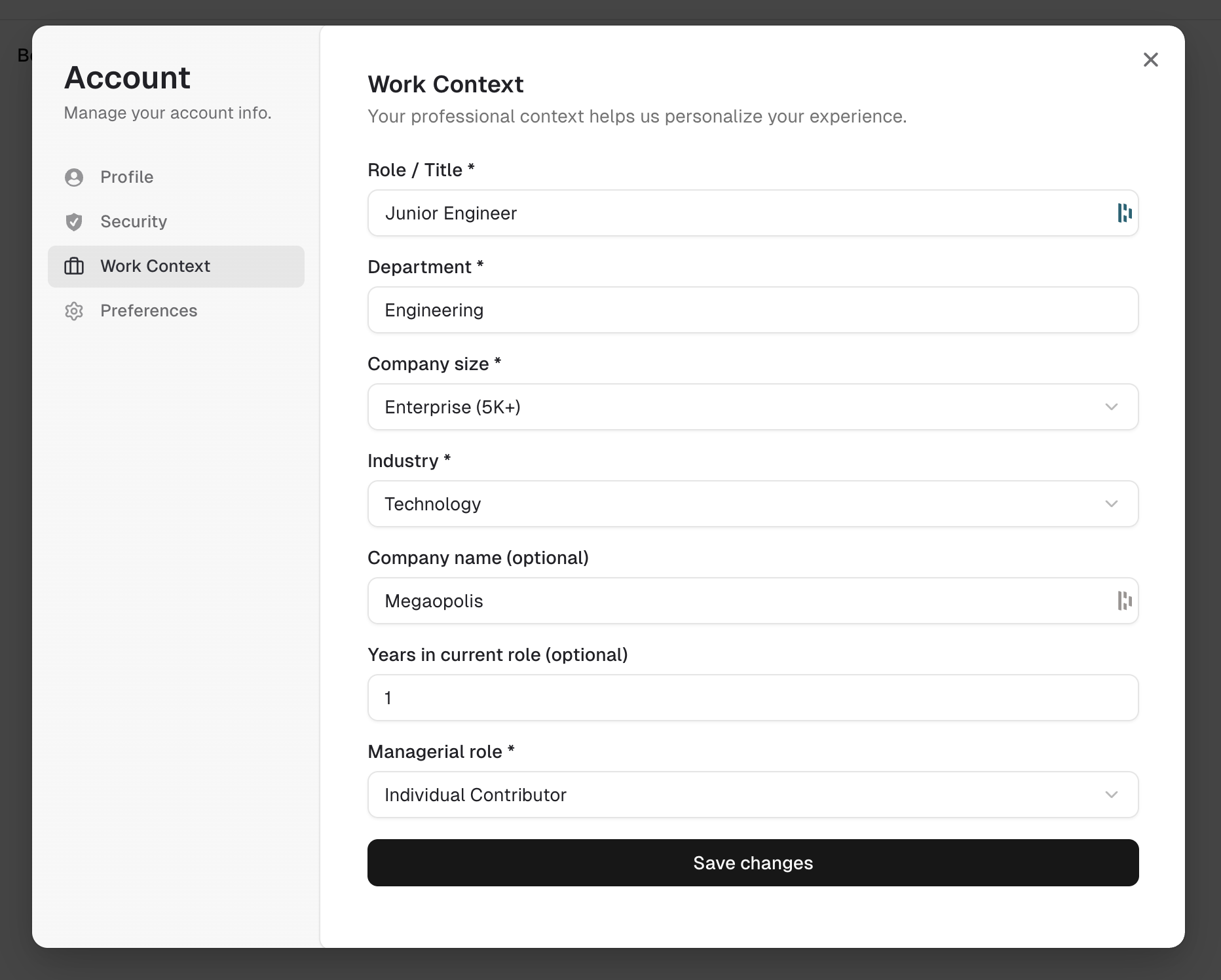
- Full name: Your display name used throughout the app
- Role / Title: Your current job title (e.g., “Product Manager”, “Senior Engineer”)
- Department: Your team or functional area (e.g., “Engineering”, “Design”, “Marketing”)
- Company size: The size category of your organization
- Startup (1-50 employees)
- Small (51-200 employees)
- Medium (201-1,000 employees)
- Large (1,001-5,000 employees)
- Enterprise (5,000+ employees)
- Industry: Your organization’s primary industry sector
- Managerial role: Whether you’re an individual contributor, manage people, or both
Optional Information
These fields provide additional context but are not required:
- Company name: Your organization’s name (stored securely)
- Years in current role: How long you’ve been in your current position
Manager-Specific Fields
These fields appear when your managerial role is set to “Manager of ICs” or “Manager and IC”:
- Manager role title: Your specific management title (e.g., “Engineering Manager”, “Team Lead”)
- Direct reports count: The number of people who report directly to you
- One-on-one cadence: How frequently you hold 1:1 meetings with direct reports
- Weekly
- Biweekly
- Monthly
- Quarterly
- None
- Review cadence: How frequently formal performance reviews occur
- Quarterly
- Semi-annual
- Annual
- None
These fields are disabled when your managerial role is set to “Individual Contributor”.
How Work Context Is Used
Your work context helps the AI:
- Provide contextually relevant reflection prompts for your role and industry
- Tailor accomplishment refinement to your work environment
- Generate appropriate STAR transformation suggestions
- Customize coaching for managers vs. individual contributors
- Reference your reporting structure and review cycle during conversations
Work context fields are also included in your Knowledge profile, giving the AI a complete picture of your professional context.
Data Privacy
Your work context data is:
- Stored securely in our database
- Used only to personalize your experience
- Not shared with third parties
- Editable at any time
- Included in data exports
Related Topics
- Knowledge - Your complete AI personalization profile
- App Preferences - Theme, AI tone, writing style, and reflection themes
- Privacy & Data - Learn about data protection